
Plan

Introduction
CMS system is not just an acronym, it is the key to a successful online business. Duli.online, a web development and digital marketing company operating across Ukraine, including Kiev, Kharkiv, Lviv, Odessa and Dnipro, will help you make sense of this world and understand why CMS is important for your business.
What is a CMS?
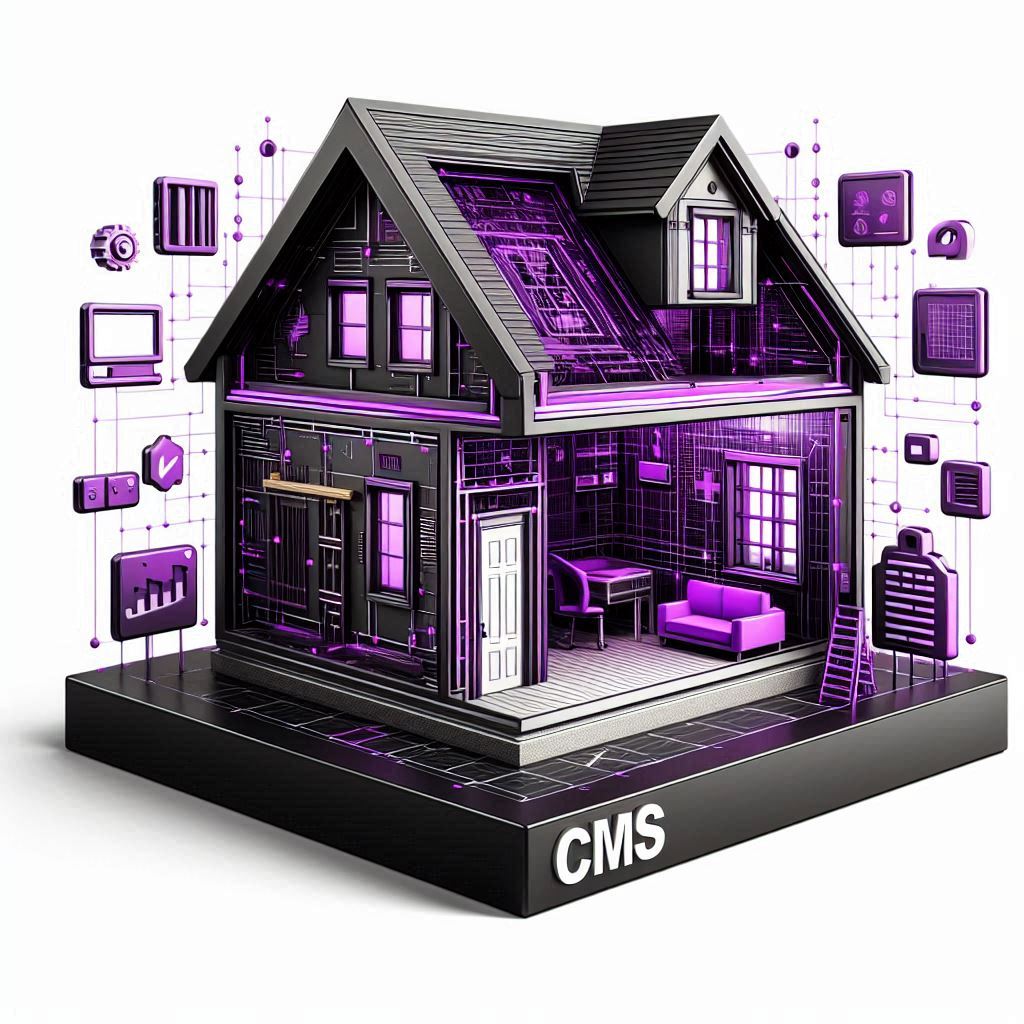
Imagine a website as a house. The foundation, walls, and roof are all important elements, but what if you could easily change the interior without destroying the entire structure? This is where a CMS platform comes to the rescue.
A CMS platform is a Content Management System, software that allows you to create, edit, publish and manage the content of a website without the need for in-depth programming knowledge. In simple words, it is a tool that gives you full control over your website, making its management intuitive and accessible.
Think of a CMS as a control panel for your website. It provides you with an interface where you can
- Add and edit text, images, videos and other types of content.
- Create new pages and sections.
- Change the design and structure of the site.
- Manage users and their access rights.
- Analyse traffic and site statistics.
CMS works on the principle of separating content from design. This means that you can change the appearance of the site without affecting its content, and vice versa. This flexibility is one of the main advantages of a CMS.
Benefits of CMS:
- Ease of use: CMSs are designed to meet the needs of users without technical skills. You do not need to be a programmer to create and manage your own website.
- Flexibility: CMS allows you to easily change the design, structure and content of your website, adapting it to your needs.
- Time and resource savings: A CMS automates many of the processes involved in developing and managing a website, allowing you to focus on growing your business.
- SEO Optimization: Most CMS platforms have built-in tools for SEO optimization, which helps improve your website’s visibility in search engines.
- Security: CMS are regularly updated to ensure your website is protected from hacker attacks and other threats.
Before choosing a CMS, it’s important to determine your website’s goals and target audience. What information do you want to convey to your users? What features should be on your site? The answers to these questions will help you choose the CMS that best suits your needs.
For example, if you are building a website for an online shop, you will need a CMS with advanced e-commerce features such as a shopping cart, payment system and order management. If you plan to create a blog, you will need a CMS with an easy-to-use text editor and the ability to add a variety of content such as images, video and audio.
Keeping your goals and target audience in mind, you will be able to choose a CMS that will provide the functionality you need and help you succeed in your online business.

Type of CMS
The world of CMS platforms is as diverse as websites themselves. There are many different types of CMS, each with their own features, advantages and disadvantages. Here is an overview of some of the most popular types of CMS:
- WordPress: The most popular CMS in the world, used to create any type of website, from blogs to online stores. WordPress is easy to use, flexible and has a huge number of plugins and themes that allow you to extend the functionality and customize the look of your site.
- Joomla: Another popular CMS that offers more customization options than WordPress, but is more complex to use. Joomla is well suited for creating sites with advanced functionality such as corporate websites, e-commerce sites, and social networking sites.
- Drupal: A powerful CMS used to create complex, heavy-duty websites. Drupal is highly flexible and secure, but requires some technical skills to customize and manage.
- OpenCart: A specialized CMS for creating online stores. OpenCart offers a wide range of e-commerce features such as product management, order management, shipping and payment.
- Wix: A cloud-based CMS that allows you to create websites using an intuitive website builder. Wix offers many templates and widgets, making it easy to create a website without the need for programming.
- Tilda: A cloud-based CMS focused on creating lendings and business card sites. It is important to note that Tilda is a Russian platform, and given the current situation, we do not recommend using it.
A brief summary of each of the CMS:
- WordPress: ideal for beginners, blogs, small businesses;
- Joomla: suitable for sites with advanced functionality, requires some technical knowledge;
- Drupal: for complex, highly loaded sites, requires high technical skills;
- OpenCart: a specialized CMS for online stores;
- Wix: cloud CMS, simple builder, ideal for lendings and business card sites;
- Tilda: Russian CMS, not recommended for use.
The choice of CMS depends on your needs and technical skills. The Duli.online team recommends using WordPress as it is a powerful, flexible and easy-to-use platform that is ideal for creating websites of any complexity.
Duli.online, a web development and digital marketing company, can help you choose and customise the CMS that best suits your needs. We work with a variety of CMS platforms including WordPress, Joomla, Drupal, OpenCart, and Wix. Our team of experts will help you create a website that will work effectively on your website.

Important factors when choosing a CMS
Choosing a CMS for business is an important decision on which the success of your online project depends. The wrong choice can lead to problems with functionality, security and SEO, which will negatively affect your business.
To avoid these problems, it’s important to consider a few key factors:
- Type of site: What type of site are you planning to create? A blog, a business card site, an online store, a corporate portal? Each type of website has its own features, and you need a CMS that meets those needs. For example, a CMS for an online store should have advanced e-commerce features such as product management, shopping cart, payment and shipping system.
- Functionality: What features do you need on the site? Feedback forms, photo galleries, social media integration, multi-language? Make sure the CMS you choose has all the features you need or the ability to add them with plugins.
- Ease of use: How comfortable are you with the CMS? Do you have technical skills, or do you want a platform that is simple and intuitive? Some CMSs, such as WordPress, are known for their ease of use, while others, such as Drupal, require some technical knowledge.
- Flexibility and scalability: Will the CMS be able to scale with your business? Will it be easy to add new features and expand the site as it grows? A flexible CMS will allow you to adapt the site to the changing needs of your business.
- Security: How secure is the CMS? Is it regularly updated to protect your site from hacker attacks and other threats? Security is a key factor to consider when choosing a CMS, especially if you plan to store sensitive information on the site.
- SEO optimization: Does the CMS have built-in tools for SEO optimization? Can a website be easily customized for better visibility in search engines? SEO optimization is an important factor for any website that seeks to attract more visitors from search engines.
- Support and Documentation: Does the CMS have an active community and extensive documentation? Is it easy to find answers to your questions and get help if you need it? Good support and documentation can help you solve problems quickly and use the CMS effectively.
The choice of CMS also depends on your target audience. It’s important to understand who your users are, what their needs and expectations are. Target Audience Analytics tools such as Google Analytics and Facebook Audience Insights can help you gather valuable information about your audience, their demographics, interests and online behaviour.
Keeping in mind the needs of your target audience, you will be able to choose a CMS that will provide an optimal user experience and help you achieve your business goals.
Remember that choosing a CMS is an individual decision that depends on the specific needs and goals of your business. By carefully analysing all factors and using tools to analyse your target audience, you will be able to choose a CMS that will become a solid foundation for your online project.

Comparison of popular CMS
Having determined the key selection factors, let’s take a closer look at popular CMS platforms, comparing their advantages and disadvantages.
WordPress CMS
Advantages:
- Ease of Use: WordPress is known for its intuitive interface that makes it easy to create and edit content without technical skills.
- Flexibility: WordPress offers a huge number of plugins and themes that allow you to extend the functionality and customize the design of your site according to your needs.
- SEO Optimization: WordPress is well optimized for search engines, which helps in improving the visibility of your website in search results.
- Huge Community: WordPress has a large and active community that provides support and assistance to users.
Disadvantages:
- Security: WordPress can be vulnerable to hacker attacks if proper security measures are not taken.
- Speed: WordPress can be slow if the site is overloaded with plugins or has a complex design.
- Limited scalability: WordPress may not be the best choice for creating complex, highly loaded sites.
Joomla CMS
Benefits:
- Advanced functionality: Joomla offers more customization options than WordPress, making it suitable for creating sites with advanced functionality.
- Flexibility: Joomla allows you to create different types of content including articles, photo galleries, forums and catalogs.
- Multilingual: Joomla supports multilingualism, which makes it convenient for creating sites for an international audience.
Disadvantages:
- Difficulty of use: Joomla is more difficult to use than WordPress and requires some technical knowledge.
- Fewer plugins and themes: Joomla has fewer plugins and themes than WordPress, which can limit site customization options.
- More complex SEO optimization: Joomla’s SEO optimization can be more complex than WordPress and requires more effort.
Drupal CMS
Benefits:
- Высокая гибкость: Drupal – это мощная CMS, которая позволяет создавать сложные, индивидуальные сайты.
- Масштабируемость: Drupal может легко масштабироваться, что делает ее идеальной для создания высоконагруженных сайтов.
- Высокий уровень безопасности: Drupal известен своей высокой безопасностью, что делает его подходящим для сайтов, которые работают с конфиденциальной информацией.
Disadvantages:
- Сложность использования: Drupal – это сложная CMS, которая требует высоких технических навыков.
- Высокая стоимость разработки: Разработка сайтов на Drupal может быть дорогой, поскольку она требует привлечения опытных разработчиков.
- Меньшее количество плагинов и тем: Drupal имеет меньшее количество плагинов и тем, чем WordPress и Joomla.
OpenCart CMS
Benefits:
- Specialization in e-commerce: OpenCart is a specialized CMS for creating online stores that offers a wide range of e-commerce features.
- Ease of use: OpenCart is relatively easy to use, even for users without technical skills.
- Low cost: OpenCart is a free CMS, making it affordable for small and medium-sized businesses.
Disadvantages:
- Limited functionality: OpenCart may not be the best choice for creating websites that require advanced functionality.
- Fewer plugins and themes: OpenCart has fewer plugins and themes than WordPress and Joomla.
- More complex SEO optimization: OpenCart’s SEO optimization can be more complex than WordPress.
Wix CMS
Benefits:
- Ease of use: Wix is a cloud-based CMS that allows you to create websites using intuitive builders.
- Large number of templates: Wix offers a huge number of templates that can be used to create different types of websites.
- Low cost: Wix offers free and paid plans, making them affordable for small and medium-sized businesses.
Disadvantages:
- Ограниченная гибкость: Wix имеет ограниченную гибкость, и может быть трудно настроить сайт в соответствии с вашими потребностями.
- Ограниченные возможности SEO-оптимизации: SEO-оптимизация может быть сложной, и вам может потребоваться помощь специалиста.
- Зависимость от платформы: Wix – это облачная CMS, и ваш сайт будет размещен на их серверах, что может ограничить ваши возможности контроля и настройки.
Each of these CMS platforms has its own advantages and disadvantages. Choosing a CMS depends on your specific needs and goals. If you’re looking for an easy-to-use and flexible CMS, WordPress is a great choice. If you need a CMS with advanced functionality, Joomla or Drupal may be better options. If you plan to create an online shop, OpenCart is the specialised CMS you need. Wix is ideal for creating simple websites without the need for programming.
Duli.online, a web development and digital marketing company, will help you choose and customise the CMS that best suits your needs. We work with a variety of CMS platforms and can help you create a website that will work effectively for your business. Contact us for a consultation and to learn more about our services!

Why choose Duli.online?
- Experience and expertise: We have many years of experience in CMS website development, work with various platforms and can offer the optimal solution for your business.
- Individual approach: We understand that every business is unique, so we offer an individual approach to each project, taking into account your needs and goals.
- Comprehensive approach: We offer a full range of services related to website development and promotion, including SEO, contextual advertising, SMM and email marketing.
- Transparency and reliability: We work transparently and openly, provide detailed information about all stages of development and guarantee the quality of our services.
Don’t put your success on hold!
Contact us today for a consultation and to find out more about our services. We operate throughout Ukraine, including Kiev, Kharkiv, Odessa, Dnipro and Lviv.
Duli.online is your reliable partner in the world of web development and digital marketing! Entrust us with website development on CMS and take the first step towards a successful online business!

Conclusions
Each of these CMS platforms has its own advantages and disadvantages. Choosing a CMS depends on your specific needs and goals. If you’re looking for an easy-to-use and flexible CMS, WordPress is a great choice. If you need a CMS with advanced functionality, Joomla or Drupal may be better options. If you plan to create an online shop, OpenCart is the specialised CMS you need. Wix and Tilda are ideal for creating simple websites without the need for programming.
Duli.online, a web development and digital marketing company, can help you choose and customise the CMS that best suits your needs. We work with a variety of CMS platforms and can help you create a website that will work effectively for your business. Contact us for a consultation and to learn more about our services!
Resource Links
What is a content management system (CMS)?
What is a CMS? A Guide to Content Management Systems
What is a content management system (CMS)?
Frequently Asked Questions
-
Which CMS system is best for my business: WordPress, Joomla, Drupal?
Choosing a CMS system is a key step in creating a successful website, because it affects the functionality, ease of management and further development of your online project. WordPress, Joomla, and Drupal are the three most popular CMSs, each of which has its own strengths and features.
To determine which one is best suited for your business, let’s take a closer look at them:
WordPress:
- Advantages:
- Ease of use: WordPress is known for its intuitive interface, which makes it easy to create and edit content, even without technical skills.
- Flexibility:WordPress has a huge number of plugins and themes that extend the functionality and customise the design of the site to suit any needs.
- SEO optimisation: WordPress is well optimised for search engines, which helps improve your site’s visibility in search results.
- Large community:WordPress has a large and active community where you can find answers to any questions and get help.
- Disadvantages:
- Security: WordPress can be vulnerable to hacker attacks if you do not take appropriate security measures (regular updates, reliable plugins).
- Speed:With a large number of plugins or a complex design, WordPress can be slower.
- Scalability:For complex, highly loaded sites, WordPress may not be the best choice.
WordPress is ideal for:
- Blogs
- Business card websites
- Small online stores
- Corporate websites with basic functionality
- Projects where ease of management and SEO optimisation are important
Joomla:
- Advantages:
- Extended functionality:Joomla offers more customisation options than WordPress, making it suitable for sites with advanced functionality.
- Flexibility: Joomla allows you to create different types of content – articles, photo galleries, forums, catalogues, etc.
- Multilingualism: Joomla supports multilingualism, which is convenient for sites with an international audience.
- Disadvantages:
- Difficulty: Joomla is more difficult to use than WordPress and requires some technical knowledge.
- Fewer plugins and themes:Joomla has fewer plugins and themes, which can limit the possibilities of customising your site.
- SEO: Joomla SEO optimisation can be more difficult than WordPress.
Joomla is well suited for:
- Corporate websites with complex functionality
- E-commerce sites with a large number of products
- Social networks and forums
- Projects where multilingualism and advanced functionality are important
Drupal:
- Advantages:
- High flexibility: Drupal allows you to create complex, individual sites with unique functionality.
- Scalability: Drupal is easily scalable, making it ideal for high-load sites.
- Security: Drupal is known for its high security, which is important for sites with sensitive information.
-
- Disadvantages:
- Complexity: Drupal is the most complex CMS of the three, requiring high technical skills.
- High cost: Drupal website development can be expensive due to the involvement of experienced developers.
- Plugins and themes: Drupal has fewer plugins and themes than WordPress and Joomla.
- Disadvantages:
Drupal is ideal for:
-
-
- Complex, highly loaded websites with unique functionality
- Portals and web applications
- Projects where maximum flexibility, security and scalability are important
-
The choice of CMS depends on your business needs, the complexity of the project, and your technical capabilities.
-
- If you need a simple, straightforward and SEO-friendly platform, WordPress is the best choice.
- If you need advanced functionality and are ready to spend more time on customisation, Joomla may be a good option.
- For complex, large-scale projects where security is a key factor, Drupal is the best solution.
- Advantages:
-
How much does it cost to create a website on a CMS? What does the price depend on?
The price of website development on a CMS can vary from several thousand to tens of thousands of hryvnias, and sometimes even more. Unfortunately, there is no universal answer to the question of cost, because the price depends on many factors that determine the complexity, scope of work, and functionality of your future website.
Let’s look at the main factors that affect the price:
- Choosing a CMS:
- WordPress: WordPress sites are usually cheaper because the CMS itself is free and development is faster due to the large number of ready-made solutions (themes and plugins).
- Joomla: Joomla development can be a bit more expensive, as setting up this CMS requires more time and technical knowledge.
- Drupal: Drupal sites are usually the most expensive, as development on this CMS requires the involvement of experienced specialists and is time-consuming.
- Functionality and design:
- Basic functionality: a simple business card site with several pages and a standard set of functions (contacts, feedback forms) will cost less.
- Extended functionality: an online store with a catalogue of goods, a shopping cart, a payment system, a personal account, and other complex functions will cost much more.
- Unique design: Development of an individual website design requires the involvement of a designer and increases the cost of the project.
- Content volume:
- Number of pages: The more pages on the site, the more time and resources it takes to create them and fill them with content, which affects the price.
- Content creation: Creating high-quality content (texts, images, videos) requires additional costs that depend on the volume and complexity of the content.
- Additional services:
- SEO-optimisation: Professional SEO-optimisation of the site requires the involvement of an SEO specialist and increases the cost of the project, but allows you to attract more visitors from search engines.
- Multilingualism: Creating a multilingual website requires content translation and CMS setup, which increases the cost of the project.
- Integration with other systems: Site integration with CRM, ERP, payment systems and other services can significantly increase the cost of development.
- Developer experience:
- Freelancers: The cheapest option is to hire a freelancer, but this can be associated with certain risks, as the quality of work may be unstable and there are no guarantees of fulfilment of obligations.
- Web studios: Ordering a website from a web studio guarantees quality, professional approach and execution of work on time, but the cost of web studio services is usually higher.
The price of creating a website on a CMS is an individual value that depends on many factors. To get an accurate estimate of the cost, it is important to clearly define the goals, functionality and design of the site, the amount of content and the additional services required.
Duli.online offers a transparent pricing system and provides detailed information about the cost of each stage of development. Contact us and we will be happy to calculate the cost of creating a website on a CMS, taking into account all your needs and wishes!
-
Can I manage a website on a CMS without any programming knowledge?
This is one of the most common questions among entrepreneurs who are planning to create their own website. And the answer is Yes, you can!Modern CMS systems are designed with a focus on simplicity and ease of use, providing an intuitive interface that allows you to manage your site without deep technical knowledge.
Let’s take a closer look at what aspects of website management are available without programming:
- Adding and editing content:
Most CMS systems have a convenient visual editor that works on the principle of “What You See Is What You Get” (WYSIWYG). This means that you see the end result of your actions directly in the editing process. You can easily:
- Add, delete and edit text
- Format text (highlight headings, paragraphs, lists)
- Add images and videos
- Insert link
- Create tables and other content elements
-
- Create new pages and sections:
You can easily create new pages and sections on your website using ready-made templates and customising them to suit your needs. Most CMSs allow you to:
-
-
- Set page titles
- Determine URL
- Add meta descriptions for SEO
- Set the order of displaying pages in the site menu
-
- Design settings:
-
Although creating a unique website design requires knowledge of HTML, CSS, and other technologies, most CMSs allow you to customise basic design elements without programming. You can:
-
- Choose ready-made design themes
- Change colours, fonts, and background images
- Add widgets and plugins that change the functionality and appearance of the site
-
- User management:
Most CMS systems allow you to create accounts for different users, giving them different levels of access. You can:
-
-
- Add new users
- Define roles and access rights (administrator, editor, author)
- Change passwords and account settings
-
- Analytics and statistics:
-
Most CMS systems have built-in tools for analysing traffic and website statistics that allow you to:
-
-
- Track the number of visitors
- Analyse traffic sources
- Identify popular pages and content
- Evaluate the effectiveness of SEO optimisation
-
Modern CMS systems provide ample opportunities for independent website management without programming knowledge. You can easily add and edit content, create new pages, customise the design, manage users, and analyse statistics.
Of course, you will need the help of professional web developers to implement complex functionality or create a unique design. But for basic website management and creation of high-quality content, programming knowledge is not required.
The Duli.online team will help you choose the CMS system that best suits your needs and level of technical knowledge. We also provide CMS training services so that you can make the most of all the features of the system to manage your website.
-
Is it safe to use a CMS for a website that stores confidential information?
Website security, especially when it comes to confidential information, should always be a priority. And while CMS platforms like WordPress, Joomla, or Drupal offer convenience and flexibility, it’s important to remember that no system is completely immune to cyber threats.
Does this mean that CMS systems are dangerous? No, not at all. However, website security depends not only on the CMS itself, but also on a number of other factors, including settings, plugins, regular updates, and, of course, the responsibility of the website owner.
Let’s take a closer look at the aspects that affect the security of a CMS-based website:
- The CMS platform itself:
- Popularity and support: Popular CMSs like WordPress, Joomla, or Drupal have large communities of developers who are constantly working to improve security and release updates to fix discovered vulnerabilities.
- Architecture and code: The security of the CMS platform itself depends on the quality of its code and architecture. It is important to choose CMSs that are designed with security in mind and have a good reputation.
- Setup and configuration:
- Strong passwords: Using strong passwords for the admin panel and user accounts is critical to protecting your site.
- Access restriction: Setting up access rights to different sections of the site and CMS functions allows you to minimise the risks of unauthorised access.
- Two-factor authentication: Two-factor authentication is an additional level of protection that requires entering a code from SMS or email, in addition to a password, which makes access much more difficult for attackers.
- Plugins and themes:
- Quality and reliability: Plugins and themes extend the functionality and design of your website, but low-quality plugins can contain security vulnerabilities. It is important to use plugins and themes from trusted sources and make sure they are regularly updated.
- Number of plugins: The more plugins installed on the site, the more likely it is that conflicts and vulnerabilities will occur. It is important to use only the necessary plugins and regularly review their list.
- Hosting:
- Reliability and security: The hosting provider plays an important role in the security of the site. It is important to choose a reliable hosting provider that provides protection against DDoS attacks, has firewalls and other security features.
- Backup: Regular backups of the site allow you to quickly restore data in case of an attack or technical problems.
- Update:
- CMS: Regularly updating your CMS to the latest version is an important aspect of security. Updates contain fixes for identified vulnerabilities and security improvements.
- Plugins and themes: Updating plugins and themes is also important to fix vulnerabilities and ensure compatibility with the latest CMS versions.
CMS website security is a complex issue that requires attention to detail and a responsible approach. By implementing these recommendations, you can significantly increase the level of protection of your website and confidential information.
Duli.online, as a company with extensive experience in web development, understands the importance of security and always pays special attention to it. We will help you create a secure CMS website, taking into account all aspects of security, provide advice and assistance with setup, so you can be sure that your business and your customers’ data are protected.
-
How to choose a hosting for a CMS website? What are the selection criteria?
Choosing a hosting service is one of the most important steps in creating a successful CMS website. After all, hosting is not just a place where your website files are stored, it is the foundation on which all its work is based. The speed, availability, security, and SEO optimisation of your website depend on the quality of the hosting.
To choose the hosting that is ideal for your CMS project, you need to take into account a number of key factors:
- Hosting type:
- Shared hosting: The cheapest and most common type of hosting where server resources are shared between many sites. Suitable for small sites with low traffic.
- VPS (Virtual Private Server): A virtual dedicated server that provides more resources and flexibility in configuration than shared hosting. Suitable for sites with medium traffic and the need for individual settings.
- Cloud hosting: Hosting based on a network of servers that allows you to scale resources depending on your needs. Suitable for sites with high traffic and the need for maximum availability.
- Dedicated server: A physical server that is completely at your disposal. Provides maximum performance, security, and control, but is the most expensive option.
- Technical characteristics:
- Disk Space: The amount of disk space provided for storing your site’s files. It depends on the size of the site and the amount of content.
- Bandwidth: The amount of data that can be transferred from the server over a certain period of time. An important factor for websites with high traffic and a large amount of multimedia content.
- Remote Memory (RAM): The amount of RAM that is allocated for your site. It affects the speed of the site and the ability to process a large number of requests.
- Compatibility with CMS:
- Php and MySQL version: make sure that the hosting provider supports PHP and MySQL versions that are compatible with your CMS.
- Server Settings: Some CMSs require certain server settings to work correctly. Pay attention to the CMS documentation and make sure that your hosting provider can provide the necessary settings.
- Security:
- Protection against DDoS attacks: DDoS attacks can paralyse the work of a website. It is important that the hosting provider has DDoS protection mechanisms.
- Firewall: The firewall protects the site from unauthorised access and hacker attacks.
- SSL certificate: An SSL certificate encrypts the connection between the site and the user’s browser, which protects confidential information.
- Additional factors:
- Technical support: The quality and availability of technical support from a hosting provider is an important factor, especially for beginners.
- Backup: Regular backups of your site are a necessary security measure. Make sure your hosting provider provides this service.
- Price: The cost of hosting is an important factor, but you shouldn’t skimp on quality and reliability.
- Reviews: Before choosing a hosting provider, research reviews from other users to assess the quality of its services.
Choosing a hosting for a CMS website is a responsible task that requires careful analysis and consideration of all factors. The wrong choice can lead to performance, security, and SEO issues, which will negatively affect your business.
Duli.online, as a company with extensive experience in web development, will help you choose the hosting that is ideal for your CMS website. We will take into account all your needs, project specifics and budget to offer the best solution that will ensure reliable and efficient operation of your website.
-
Will a CMS system help me improve the SEO of my website?
SEO (Search Engine Optimisation) is a set of measures aimed at improving a website’s position in search results, which, in turn, increases the visibility of the site for the target audience, and brings more organic traffic and potential customers.
Although a CMS system is not a “magic wand” that will instantly bring your website to the top positions in Google, it can definitely become a powerful tool for SEO optimisation.
Let’s take a closer look at how a CMS system contributes to SEO:
- Technical optimisation:
- Clean Code: Most modern CMS systems generate clean and valid HTML code that is easily crawled and indexed by search engines.
- SEO-friendly URL structure: CMS allow you to create “understandable” URLs that contain keywords and reflect the structure of the site.
- Load Speed: CMS systems are optimised for fast loading, which is an important ranking factor.
- Mobile adaptation: Most CMSs have responsive templates or make it easy to create mobile versions of your site, which is critical for SEO in the mobile era.
- Content management:
- SEO metadata: CMS systems make it easy to add title, description, keywords meta tags for each page, which are used by search engines to understand the content and rank it.
- SEO plugins: There are special SEO plugins that help analyse content, find keywords, optimise images, and perform other tasks to improve SEO.
- Content structure and formatting: CMS systems make it easy to structure content with headings, lists, tables, which makes it more understandable for search engines and users.
- Advanced functionality:
- XML sitemap: CMS systems automatically generate an XML sitemap that helps search engines index all pages of a site.
- Integration with Google Analytics and Search Console: CMS systems make it easy to integrate your website with Google analytics tools that provide important information about the SEO performance of your site.
- Security:
- SSL certificate: Most CMS systems support the installation of an SSL certificate, which is an important ranking factor.
- Spam protection: CMS systems have built-in anti-spam mechanisms that prevent unwanted content and links from appearing that can negatively affect SEO.
A CMS system alone does not guarantee high search rankings, but it creates a solid foundation for SEO optimisation by providing tools and features that make the optimisation process easier and more efficient.
Duli.online, as a company with extensive experience in SEO and CMS website development, will help you choose a CMS system that will best suit your SEO needs. We also provide SEO optimisation services for CMS websites to help you achieve high search rankings and drive more organic traffic.